
WOIO Cleveland 19 News
Gray MediaNews & Magazines
3.7658.00 Reviews
- Version
- Varies With Device
- Installs
- 100.00K
- Age Rating
- Everyone
Screenshots
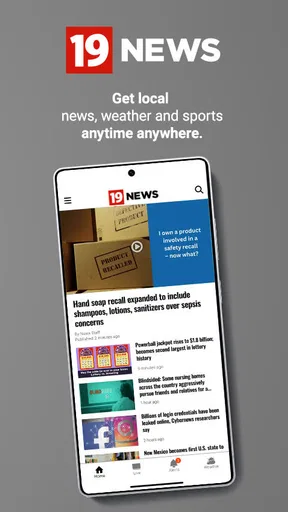
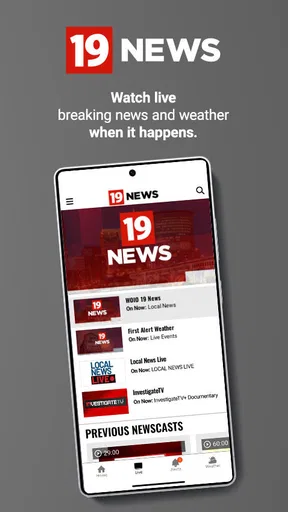

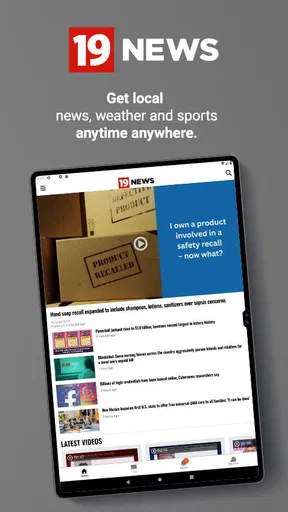
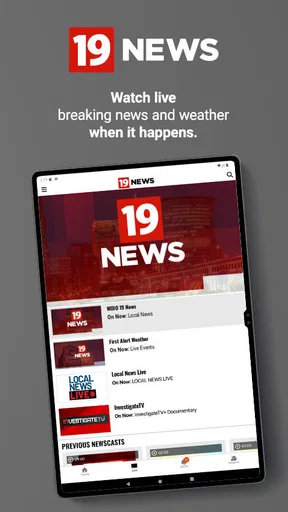

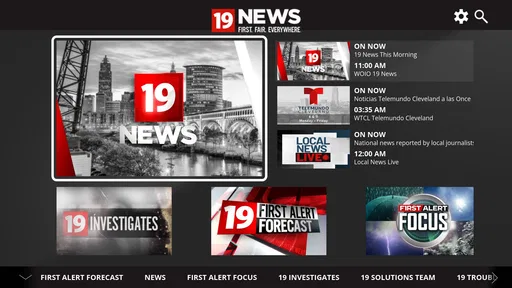
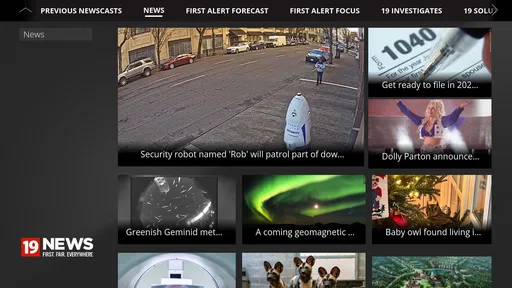
Our Review of WOIO Cleveland 19 News
 Analysis by Appyee
When I want Cleveland news without sorting through a national feed, I look for something that feels local first: useful updates, a forecast I can act on, and live coverage when a story is developing. That is the role WOIO Cleveland 19 News tries to fill. It is a free news and magazines app from Gray Media, aimed at people who want Cleveland-focused reporting and weather in one place rather than a broad stream built for the entire country.
I approached it as a daily-use decision rather than a quick download. The important question is not simply whether the app can show news. Most news apps can do that. The better question is whether a Cleveland viewer gains enough from this local focus to keep it installed alongside, or instead of, a general news reader, a weather app, and live television. My answer is generally positive, with a few practical reservations that matter depending on how you follow news.
What I look for before choosing a local news app
My first decision criterion is relevance. A national news application may be polished, but it can still leave me searching for information about a nearby road problem, a local warning, a neighborhood issue, or a Cleveland story that has little importance outside the region. A station-centered app has a natural advantage here because its purpose is narrower. The trade-off is that it is less suitable when I want a complete national or international briefing in the same place.
The second criterion is how quickly I can move from opening the app to understanding what is happening. A useful local app should not make me dig through unrelated sections before finding current coverage. I also care about whether it supports two different habits: a short check while getting ready for work and a longer session when a major event is unfolding. Those are different needs, and a good choice should serve both without forcing me into a television schedule.
Weather is another deciding factor. I do not need a forecast merely as decoration beside headlines. I want to know whether it changes my commute, school plans, errands, or evening activities. The Cleveland 19 offering puts the local forecast near the center of its identity, which makes it more practical for residents than a generic news feed that treats weather as an afterthought.
Finally, I consider duplication. If I already use a favorite weather service and a separate national news reader, adding another app only makes sense when the local reporting and live coverage justify the extra space on my phone. That is the main test I would apply here: does Cleveland-specific information save me time, or does it simply repeat what I already receive elsewhere?
A focused local starting point
The app’s strongest quality is its clear geographic purpose. It is not trying to be a universal newsstand. The short description identifies it as WOIO Cleveland 19 News, while the broader experience is built around watching live news around the clock and checking Cleveland’s forecast. That combination gives the app a practical rhythm: headlines when I have a minute, live coverage when the situation deserves more attention, and weather when I need to make a decision.
That focus also helps me decide whether it belongs on my phone. If I live in or regularly travel through the Cleveland area, local relevance is not a minor bonus. It can be the difference between useful information and noise. If I am far outside the area and only occasionally follow Cleveland, the narrow focus becomes a limitation rather than a benefit.
I also appreciate that the app is free. There is no purchase decision blocking a trial, so the real cost is attention and storage rather than money. That makes it easier to compare with paid news products, subscription-based publications, or a station’s other viewing options. I can install it, test whether the local coverage fits my routine, and remove it if it does not earn a regular place.
The audience setting is Everyone, which makes the app broadly approachable for households that want a local news source without a narrow age gate. That does not mean every news topic will suit every viewer, but it does make the basic product easier to share across a family or use on a common device.
Where it is most useful in everyday life
A realistic example is a weekday morning when I am leaving Cleveland for work. I do not want to open several services, read a national summary, then search separately for local conditions. I can use this app as a local checkpoint: scan the news, look at the Cleveland forecast, and decide whether I need extra travel time or a different plan. That workflow is more valuable than simply having another place to read headlines.
Another useful situation is a developing local story. A written article may give me the facts I need eventually, but live coverage can help when details are changing. The app’s emphasis on live news means I can turn to it when a normal article feels too static. I would still treat live reporting as something to follow carefully, since early information can change, but the option is meaningful when I want immediate local context.
For someone who watches local television but cannot always be near a television, the app offers a more flexible companion. I can check news from a phone rather than planning my day around a broadcast. That does not make it a replacement for every television habit; some people prefer the larger screen, familiar presenters, or a scheduled program. Still, mobile access matters when I am away from home or only have a short window to catch up.
A less obvious use is keeping the app as a local verification point while using a broader news reader for everything else. I do not have to ask one application to cover the whole world. I can use a national source for major national stories, then open this one when the question is specifically, “What is happening around Cleveland?” That split can be more efficient than forcing a single feed to balance local and global coverage.
Small habits that make the experience more effective
I would not treat the app as something to browse endlessly. Its value is higher when I open it with a purpose. In the morning, I would use it for a quick local scan and forecast check. During a developing event, I would return for live coverage rather than repeatedly refreshing a general feed that may not have local detail. This simple separation keeps the app from becoming another source of background noise.
I also recommend judging it over several normal days rather than only during a major news event. Breaking coverage can make any local app feel essential, but the real test is whether the ordinary mix of Cleveland news and weather is useful enough to support a habit. If I only open it during rare emergencies, a browser shortcut or occasional visit may be sufficient. If I regularly need local context, keeping the app installed becomes easier to justify.
Another trade-off is attention. A local news app can improve awareness, but frequent checking can turn into a cycle of refreshing for updates that have not materially changed. I get more from it when I decide what I need before opening it. That is especially true with live coverage, where the benefit is immediacy but the cost can be time spent watching without gaining new information.
For households, I would also think about who is using it. One person may care mostly about the forecast, while another wants live local reporting. The app makes sense when both needs overlap around Cleveland. If each person wants a completely different region, a customizable national news service may be more convenient than maintaining several location-specific applications.
How it compares with the usual alternatives
The closest alternative is a general news aggregator. That type of app usually wins when I want many publishers, broad national coverage, and a single place to follow several interests. Its weakness is that local stories can be buried among more prominent national headlines. WOIO Cleveland 19 News makes the opposite choice: less breadth, more local identity. I would choose the aggregator for a wide briefing and this app for Cleveland-centered awareness.
A second alternative is a standalone weather app. A dedicated weather product may be preferable if forecasts are my only concern and I want to compare several locations throughout the day. This app is more appealing when weather is part of a larger local-news routine. I can check the forecast and then move directly into Cleveland reporting instead of switching between unrelated tools.
There is also the station website viewed in a mobile browser. A browser can be enough for occasional readers and avoids adding another installed application. The app becomes more worthwhile for someone who checks local news repeatedly or wants a more direct route to live coverage. The decision comes down to frequency: occasional access favors the browser, while a daily habit favors a dedicated app.
Finally, some users may prefer a television-only routine. If I always watch scheduled local broadcasts and rarely use my phone for news, this app may not change my behavior. Its advantage appears when my schedule is irregular, when I am away from the television, or when I want to check Cleveland information at my own pace. It is a convenience layer, not a demand that every existing news habit be replaced.
What may frustrate you
The narrow regional focus is the clearest limitation. Someone expecting a full news service for multiple cities, national politics, international events, entertainment, and specialized topics may find the app too limited. That is not a flaw in the local mission, but it does mean I would not make it my only news source unless my information needs are almost entirely Cleveland-based.
Live coverage can also create a difference between what I want and what the app is designed to provide. When I need a concise article that I can read in under a minute, live video or ongoing coverage may feel less efficient. Conversely, when I want the atmosphere and immediacy of a developing local story, a short text summary may not be enough. I would choose the format based on the moment instead of assuming one mode is always better.
There is a potential habit cost as well. Installing a local news app alongside a national reader and a weather service can produce overlapping alerts and repeated headlines. I would be selective about which notifications I allow and how often I check. The best setup is the one that gives me local awareness without turning every update into an interruption.
The public response suggests a mixed but substantial user base: the app has a 3.7 average from around 2.4 thousand ratings, with roughly 658 written reviews. I read that as a reason to test it personally rather than assume it will suit everyone. A rating in that range indicates that the experience works well for many people but may involve friction for others, particularly those with different expectations about local coverage, live viewing, or app behavior.
Who should install it, and who should skip it
I would recommend trying it if you live in Cleveland, commute through the area, have family there, or need a local source that combines news with the forecast. It is especially sensible for people who cannot reliably catch a scheduled broadcast but still want access to local coverage. The free price removes the financial barrier, so the practical question is whether the local focus matches your daily life.
I would be more cautious if I primarily follow another city or need a deep national and international briefing. In that case, a broader news reader will probably be a better foundation, with this app added only when Cleveland stories matter. I would also skip it if I strongly dislike live coverage and only want a compact text feed; the app’s identity is built around more than a simple headline list.
It may also be unnecessary for someone who already has a reliable Cleveland news routine and never checks information on a phone. Installing it just because it is free does not automatically improve that routine. I would keep it only if the mobile access, local forecast, or live reporting solves a real problem that my current setup does not.
Is switching worth the effort?
Switching costs are modest because the app is free and can be evaluated alongside existing services. I would not immediately delete a national news app or a dedicated weather tool. Instead, I would use this one as the Cleveland layer for a week or two, opening it during the times I normally look for local information. That makes the comparison fair and shows whether it saves steps.
The main adjustment is deciding which service should handle which task. I would use a broad reader for national and international headlines, this app for Cleveland reporting and live local coverage, and a specialized weather tool only if I need more advanced weather information than a local news routine provides. That arrangement avoids demanding that one product do everything.
For a person moving from television to mobile, the change is more about timing than content. Instead of waiting for a broadcast, I can check when it suits me. For a person moving from a browser, the benefit is convenience and habit formation. For a person moving from a general aggregator, the benefit is local prominence, while the cost is losing breadth. Those are the trade-offs I would weigh before making it the primary news app.
My recommendation
WOIO Cleveland 19 News is a worthwhile local companion for Cleveland residents and anyone who needs Cleveland news and weather in a mobile format. I like its focused purpose, free access, and emphasis on live local coverage. It is most convincing when I want a quick local check, a forecast tied to my day, or a way to follow an unfolding story without being near a television.
I would not present it as a complete replacement for every news service. A general aggregator is better for broad coverage, and a dedicated weather app may be better for people whose only priority is forecasting. The strongest setup may be a combination, with this app handling the local perspective that broader tools often dilute.
Gray Media has kept the app available since its release on July 14, 2011, and its reach has grown beyond one small test audience, with over 100 thousand installs. Those figures do not decide the experience for me, but they do make it a credible option to try. Since it is free and rated for Everyone, I see little reason for a Cleveland-focused user to avoid testing it.
My final advice is simple: install it if local Cleveland coverage is part of your everyday decisions, then judge it by whether it reduces the time you spend searching across services. Keep it if the local forecast and live reporting become genuinely useful. Skip it, or use it only occasionally, if you need a wider news universe or already have a mobile routine that covers Cleveland just as efficiently.
Verdict
Strengths of WOIO Cleveland 19 News
- Fast updates on breaking news across Northeast Ohio
- Live newscasts and video reports are easy to access
- Useful weather forecasts, radar, and severe-weather alerts
- Local coverage includes traffic, sports, and community stories
- Clean interface makes browsing recent headlines straightforward
Limitations of WOIO Cleveland 19 News
- Some stories may require a strong internet connection to load
- Breaking-news notifications can feel frequent for some users
- Video playback may include advertising before reports
- Coverage is mainly focused on the Cleveland and Ohio area
- Some features may vary depending on your location or device
Other Releases by Gray Media
View All
KY3 Weather
Weather4.6

Telemundo Atlanta
News & Magazines4.3

FOX5 Vegas - Las Vegas News
News & Magazines2.9

WAFF 48 First Alert Weather
Weather4.6
Similar Picks in This Category
View All
Google News - Daily Headlines
Google LLC4.0

X
X Corp.4.8

Flipboard:Your Social Magazine
Flipboard3.4

Opera News: breaking & local
Opera4.5

Hindi News by Dainik Bhaskar
Dainik Bhaskar Group4.0

Way2News Daily News App
Way2News ( Formerly Way2SMS )4.6
Frequently Asked Questions
What is the WOIO Cleveland 19 News app used for?
The WOIO Cleveland 19 News app is designed to keep users informed about news in Cleveland, Northeast Ohio, and surrounding communities. After installing it, you can browse breaking stories, local reports, weather updates, traffic information, sports coverage, videos, and other content published by the station. It is especially useful for users who want quick access to local headlines without relying only on television broadcasts or a web browser.
Does the WOIO Cleveland 19 News app provide live news and weather updates?
Yes, the app generally focuses on timely coverage, including breaking news alerts, developing local stories, weather forecasts, radar information, and severe-weather notifications when available. Some content may be delivered through live video or streaming features, depending on the station’s schedule and your location. Availability can vary, so users should keep the app updated and allow notifications if they want urgent alerts.
Is the WOIO Cleveland 19 News app free to download and use?
The WOIO Cleveland 19 News app is typically free to download from the official Android or iOS app store. Most news articles, forecasts, videos, and alerts can usually be accessed without a subscription. However, mobile data charges may apply when using cellular networks, particularly for video or live-streaming content. App features and any advertising or access requirements may change over time.
Does the app require location access or notifications?
Location access is not always required to read general news, but allowing it can improve the experience by helping the app display relevant weather forecasts, nearby alerts, and local coverage. Notifications are also optional, although enabling them is useful for breaking news, severe weather, and important Cleveland-area updates. You can change these permissions later through your Android or iOS device settings.
What should I do if the WOIO Cleveland 19 News app is not working properly?
If the app crashes, loads slowly, or fails to show updated content, first check your internet connection and confirm that the application is updated through the official app store. Closing and reopening it, restarting your device, or clearing cached data may also help. If problems continue, check whether the service is experiencing an outage and contact the app developer through its store support information.
